Professors can easily spot the AI-generated content in your submitted PowerPoint presentations, Word documents, or PDFs. Your assignment, once generated by AI, will be tagged as suspicious with all the traces of plagiarism and AI-usage highlighted. Numerous news stories reflect professors’ attitudes towards AI-generated PowerPoints or essays, students usually end up with faulting their classes and nothing is negotiable. So, ‘Do professors check for AI in PowerPoint?’ The answer is Yes.
But that doesn’t mean you have to completely say no to AI! In this post, you'll find some super practical tips to help you save tons of time and energy during those hectic final weeks. Let’s put AI to good use—helping you organize ideas, create images, and spark inspiration for your PowerPoint assignments and essays, all while keeping the work truly your own!

- On This Page
- News Support: Professors Do Check AI in Your PowerPoints
- What Do Professors Use to Check for AI in PowerPoint? Tools & Tricks
- Any Uncensored AI PowerPoint Generators to Avoid Detection? 2 Useful Workarounds
- Do Professors Check for AI in PowerPoint? 2 Sneaky Plan B
News Support: Professors Do Check AI in Your PowerPoints
News is everywhere reporting the non-tolerance of AI assistance in after-school assignments, essays, or team projects. Some professors even auto-fail their students when they hand in partially-polished AI Word, PDF, and presentation slideshows. So, do professors check for AI? Yes. And can AI be detected in a PowerPoint? Yes.

The harm of using AI to do your assignments:
- Inability to teach critical thinking
- Loss of opportunities to study
- Build reliance on technology
- Create fairness in the classroom
Are you curious about how teachers and professors detect your AI-generated content? In the next section you will see all the secret anti-AI tools. Come and see if you fall prey to these tools.
What Do Professors Use to Check for AI in PowerPoint? Tools & Tricks
Frankly speaking, teachers and professors have many methods to detect AI's traces in students' submitted assignments. Word documents are easy to scan, but PowerPoint takes another round of format transformation. However, nowadays, AI PowerPoint summarizers can do all the work.
And one fun fact is that those who are sophisticated at dealing with AI-generated assignments have keen eyes on telling AI paragraphs and sentences since there are evident clues to trace. Let’s save the muddy talk and take a look at the popular AI Content Detectors:
#1. Copyleaks.com - https://copyleaks.com/ai-content-detector

This website’s free version is already very powerful. Just copy and paste the content handed in by your students and paste in the blank bar, and this site will scan the AI percentage out of the content.
The mechanism behind this tool is matching the content quickly with the results searched on the Internet.
And the upgrade version may surprise you to provide functions of checking paraphrasing.
For those who attempt to paraphrase AI content and pretend everything is handwritten by themselves, things might not proceed as they presume.
#2. AI PowerPoint Summarizer with chatbots - https://notegpt.io/ppt-summary

Some of you may presume slideshows will separate the content into slides, so no means for a textual AI content detector to work on a PowerPoint document. But now professors use PowerPoint summarizers to directly transform slides into texts, and ask any questions with an AI chatbot based on the extracted content. “Is the content in this PowerPoint generated by AI?” “Yes, some clues suggest that….”
#3. Some evident clues of students using AI to generate content
Here are 3 common red flags to judge if your assignments are made by humans or AI.
AI prefers to use these tone/writing styles:
The writing style suddenly changes and the vocabulary level suddenly elevates could be one of the most evident signs of AI writing. Besides, a too neutral tone and robotic writing style is also suspicious. Last but not the least, AI writing tends to fall short in original thinking and brand-new insights, whereas that’s something humans are better at.
AI can lose focus and go off-topic:
If you find a chunky paragraph that’s totally off-topic, and after reading it, nothing valuable is gained. AI is producing some trash to bluff its way through.
Wrong sources and facts:
AI always fabricates wrong essay resources and authors. If your professor scrutinizes your assignments, these wrong pieces of information are almost nowhere to hide.
Any Uncensored AI PowerPoint Generators to Avoid Detection? 2 Useful Workarounds
Many of you may be wondering if there is any tool that can bypass the powerful AI detectors? Well, the answer is Yes if you can give up the idea of designating all the tasks to ChatGPT.
- Ask ChatGPT to offer inspirations/structures/fresh perspectives based on your topics
Instead of letting AI generate all the content, only asking AI to offer a brief structure/outline and do the content-filling work.

- Wisely use AI PowerPoint Generators to create slides with your outlines
Input the structures you obtained from ChatGPT to Vidwud AI PowerPoint Generator, and this free tool will create slides accordingly. Normally AI slideshow makers will auto-generate content based on your outline, make sure to delete them all and replace with your own texts, and everything will be on the right path.
Here is a simple tutorial to generate an AI slideshow for your assignments:
Step 1. Hit the button below to visit Vidwud AI PowerPoint Generator.
Make AI Presentation Now
Step 2. Input the outlines you obtained from ChatGPT.

Step 3. Select the themes, template styles, and then hit ‘Generate.’
Step 4. Edit your AI slideshow online for free. Here in this step, you can fill your original/paraphrased content to the slide decks to avoid plagiarism.
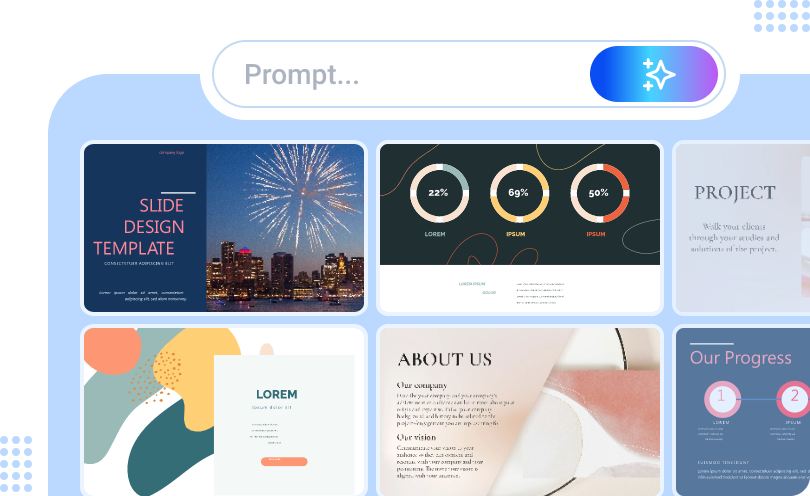
Free AI Presentation Maker - Text to PPT
-
Easy and free prompt-to-slideshow generator
-
Multiple themes & templates for beautiful PPT creation
- Perfect online slideshow for school project, business pitch, etc.
Make AI Presentation Now
Vidwud AI PowerPoint Generator saves your time and energy by automatically producing exquisite AI images, effects, icons, and appending appropriate video resources to support your point of view.
- 10+ different themes for education, business, marketing, and social media
- Super handy prompt-to-PowerPoint generator that responds quickly
- Free online slideshow editor for you to do subtle adjustments
- AI generates adorable icons, images, to support your presentation
Do Professors Check for AI in PowerPoint? 2 Sneaky Plan B
2 sneaky ways saves your ass if you are reduced to hand in your AI-generated PowerPoint in which nothing is written by yourself.

1. Paraphrase your content to bypass primary AI censorship
Use Grammarly to batch-paraphrase the texts in your PowerPoint. This way is risky cuz you are betting your professor does not upgrade their ‘AI Content Detector’ into paid versions.
2. Use 5 minutes to study your AI-generated PowerPoint before presentations

Convenient AI PowerPoint Summarizers can scan your PowerPoint and generate flashcards/mindmaps for you, helping you grasp your PowerPoint in 5 Minutes. This quick mend-up can save you from any oral follow-ups from your professor, and make you confident when a presentation is inevitable next morning.
Conclusion
Do professors check for AI in PowerPoint? The answer is pitifully YES. And professors have more than one method to sift 90% of AI-generated content from students’ assignments. This article reveals the most popular AI content detector that teachers and professors prefer. If you really don’t want to fail your class but the deadline is approaching, this guide also introduces uncensored ways to use AI PowerPoint Generators plus handwriting skills to save your ass. Please try Vidwud to wield this magic wand.
Free AI Presentation Maker - Text to PPT
-
Easy and free prompt-to-slideshow generator
-
Multiple themes & templates for beautiful PPT creation
- Perfect online slideshow for school project, business pitch, etc.
Make AI Presentation Now







![Top 5 AI PPT Editors to Generate & Edit PPT with AI [2025]](https://cdn.vidwud.com/blog_files/20250124/ai-ppt-editor.jpg)


