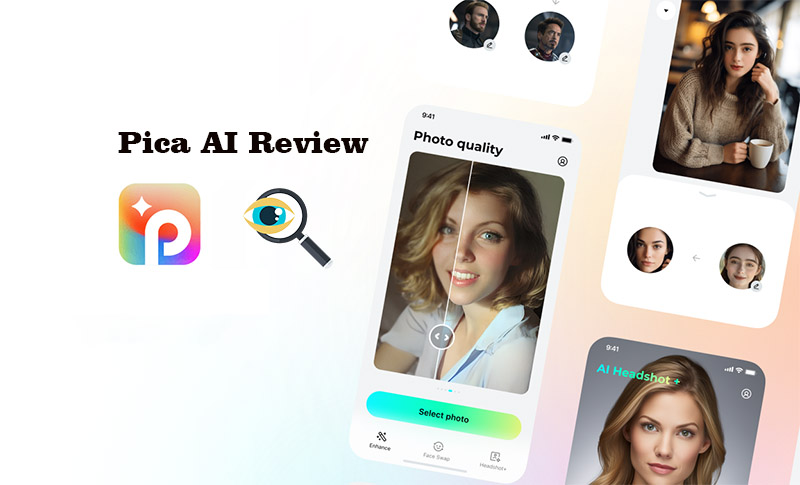
Photo conversion and enhancement have come a long way, and AI image tools like Pica AI are proving just how far. Pica AI includes an online image enhancer, face swapping, and an AI headshot generator. It’s quick, surprisingly easy to use, and the final results are natural.
As AI image tools are everywhere online now, Pica AI is carving out its own space by focusing on what users actually want. In this review, you’ll get to know more about Pica AI face swap, image enhancer, and headshot generator, and which other alternative AI image tools are worth trying instead.
- On This Page
- What is Pica AI & Core Features Explained
- Is Pica AI Free? What’s the Pricing Plan?
- Best Pica AI Alternatives for Each Feature
What is Pica AI & Core Features Explained
Pica AI is exactly what you’re looking for if you've ever wanted to improve your photos without spending hours in Photoshop or paying for a professional editor. You don’t need to download anything or sign up for complicated plans. Just upload a photo, choose a feature, and done. Below is a detailed Pica AI review and how it plays out.
1. Photo Enhancer – Clearer, Sharper, Better
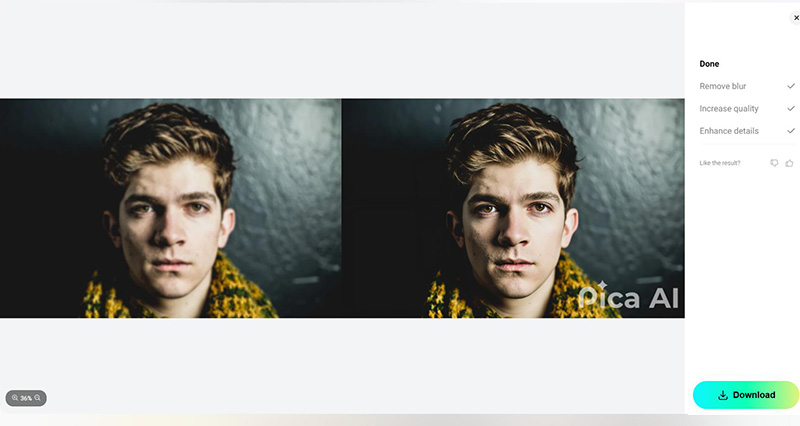
Pica AI offers an online image enhancer that instantly fixes blurry images and restores old photos. It automatically sharpens details and fine-tunes the lighting and contrast. If you have scanned photos from the early 2000s, low-res family photos, or a selfie that deserves better definition, this image enhancer from Pica AI can help enhance them without any manual adjustment. Skin textures are preserved, eyes regain sharpness, and overall clarity improves without the artificial "over-edited" look that some apps produce.
How to Use Pica AI Image Enhancer
Step 1. Open the official Pica AI website. Select “Enhance” to go to the image enhancer page.
Step 2. Click “Select Photo” and upload the source image you want to use.
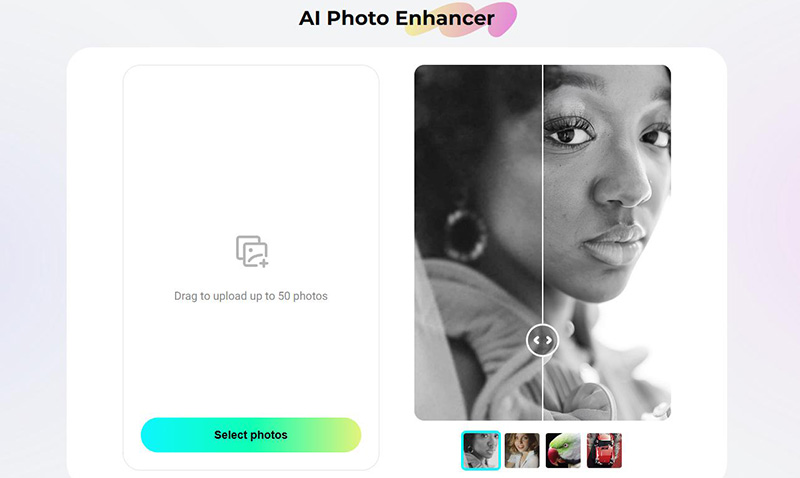
Step 3. Wait for the AI image enhancer to process. Download the enhanced photo by clicking the Download button.
2. Face Swap Online – Fun, Fast, and Realistic
The Pica AI face swap feature is another key, stunning feature. It lets you replace the face in a photo with another, for example, a picture of yourself, a friend, even a celebrity, or face swap wedding. Unlike many novelty apps that create odd distortions, Pica AI swap face result is clean and surprisingly accurate, keeping lighting, angles, and expressions consistent. Folks often jump on it for whipping up new memes that take off, brainstorming amazing cosplay costumes, or just sending a silly video to make their buddies crack up online.
How to Use Pica AI Face Swap
Step 1. Go to Pica AI website, click “Face Swap," and the Pica AI face swap service appears.
Step 2. Upload the target face photo and the face you want to insert.
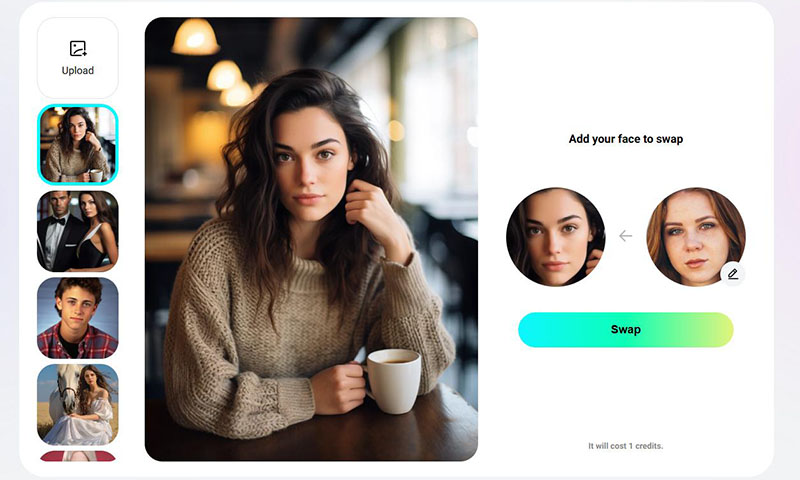
Step 3. Click “Swap”, then wait a few seconds for the Pica AI face swap to process.
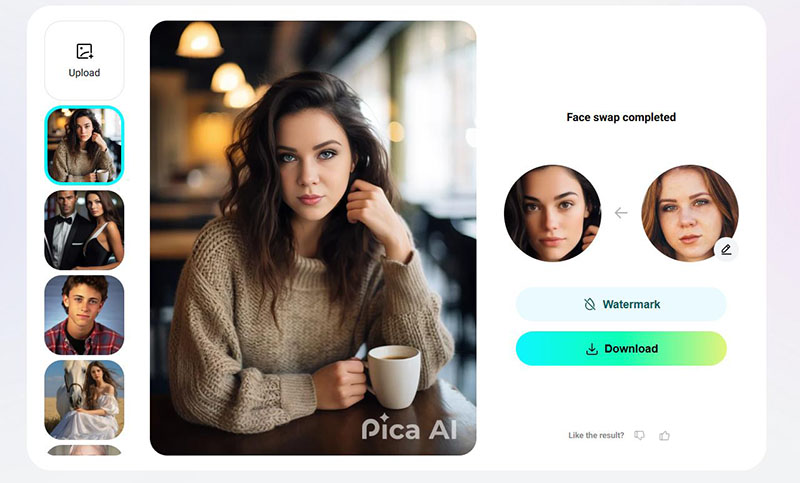
Step 4. Download your swapped photo directly. You can also try Pica AI gender swap using the face swapping feature.
3. AI Headshot Generator – Look Professional in Seconds
Professional headshots can be expensive and time-consuming, but Pica AI’s AI Headshot Generator offers a free, realistic alternative. It uses your photo like a selfie or casual portrait and turns it into a business-ready image with clean backgrounds, flattering lighting, and formal attire options. It’s a good option for creating a new polished, studio-style LinkedIn photo, a resume update, or a team profile picture, without a camera crew.
How to Use the Pica AI Headshot Generator
Step 1. Go to the Pica AI Headshot tool. Upload a clear, front-facing photo.
Step 2. Choose your preferred style or outfit (e.g., suit, neutral background).
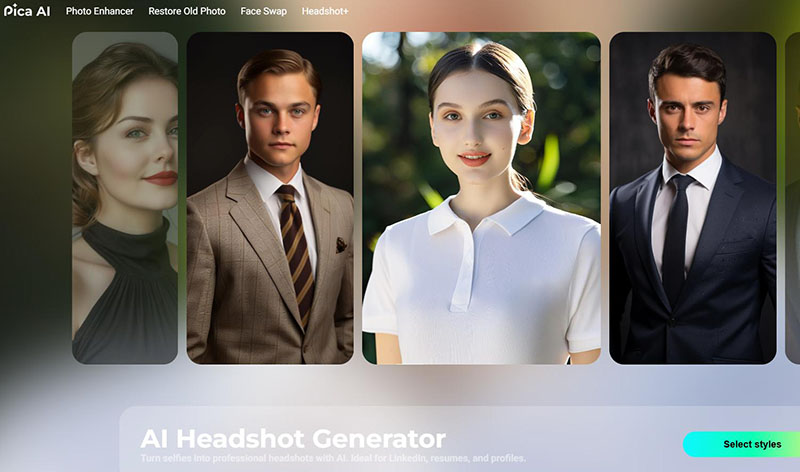
Step 3. Upload your photo, 6-12 photos are preferred for better results.
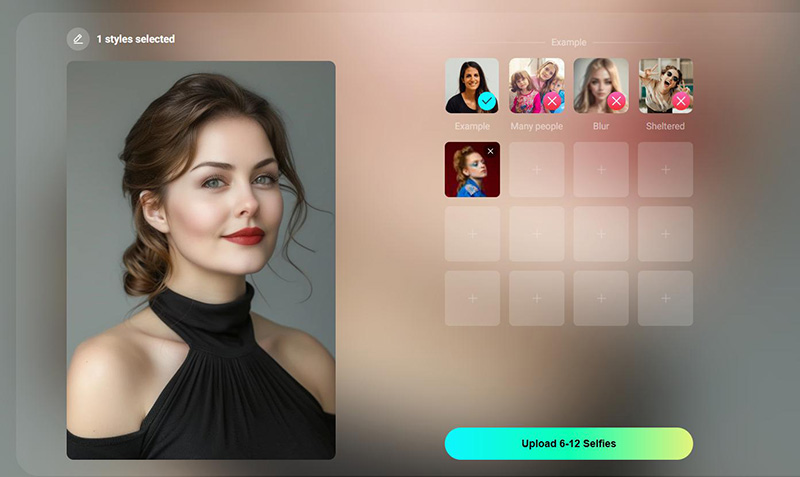
Step 4. Review and download your selected versions.
Read More: Remove Grain from Video with AI: 3 Video Denoiser Free Picks! >>
Is Pica AI Free? What’s the Pricing Plan?
Pica AI lets you try it for free, with a limited four credits per day. You get to play around with its main features, image enhancer, face swap, and AI headshot generator. However, some advanced options (like watermark-free or app availability) are restricted in the free version.
If you want full access, Pica AI offers paid plans starting at $9.99 a month (1,000 credits) or $59.99 per year (8,000 credits). Subscribers get faster processing, higher output quality, watermark-free downloads, and access to the Pica AI iPhone app.
Best Pica AI Alternatives for Each Feature
While Pica AI does deliver on photo enhancement and face swap quality, it's not without drawbacks, such as limited free credits, relatively high pricing for advanced plans, and occasional slowdowns in generation speed. The top 3 Pica AI alternatives for face swap, image enhancer, etc. are picked below.
Best Free Face Swap Alternative – Vidwud AI
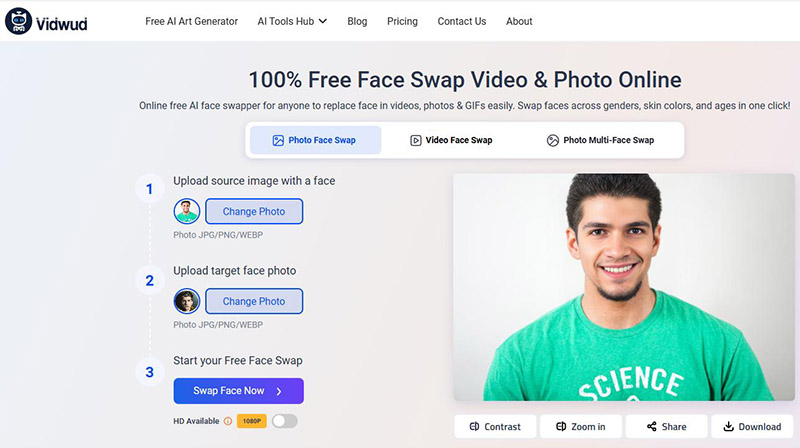
Vidwud AI is gaining traction as a fast, free face swap tool that’s surprisingly effective. Anyone, from a hobbyist to a pro, can swap faces in their photos and videos automatically for free. Its simple layout is really appreciated, giving you natural photos even when several people are in the shot. No need to log in. No charge at all. If that's what you're after, this option is worth checking out.
Features of Vidwud AI Face Swap:
Free to swap faces online for free. With Vidwud free face swap, you can easily swap one or multiple faces right in your browser, useful for creating memes, playing around with group photos, or just having fun.
Swap faces in photos/videos with AI alignment. Powered by advanced AI facial mapping, Vidwud ensures faces blend naturally in both images and videos. The tool reduces distortion and makes it useful for content creators, marketers, or social media users seeking realistic edits.
Group face swap to make it more fun. Vidwud AI easily swaps multiple faces in group shots, party photos, or family portraits, great for pranks, virtual reunions, or themed event posters where everyone gets a twist.
Fast face swap processing. Its optimized processing shows quick results without long waits, helping those who are on tight deadlines or simply want fast, real-time face swapping for entertainment or editing needs.
Best Photo Enhancer Alternative – Picsart
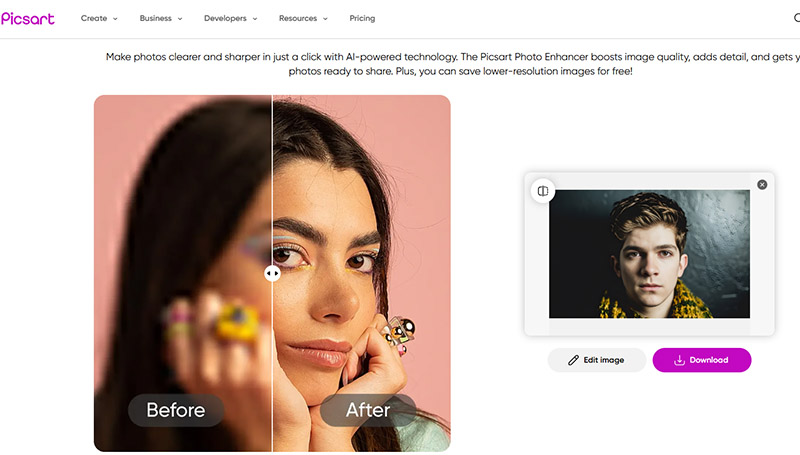
Picsart is a good alternative to Pica AI's photo enhancer for its more editing options after enhancement. It enhances blurry photos in a single click automatically and then lets users resize, remove background, add effects, text, stickers, video, etc. with the online image editor. If you want more control over the final enhanced photos, Picsart is a full, useful suite.
Features of Picsart:
One-click photo enhancement using AI.
Removes or replaces backgrounds simply without further complex adjustment.
Custom filters and overlays, add artistic effects with layers, stickers, and text.
Best All-in-One Free Alternative – Vidnoz AI
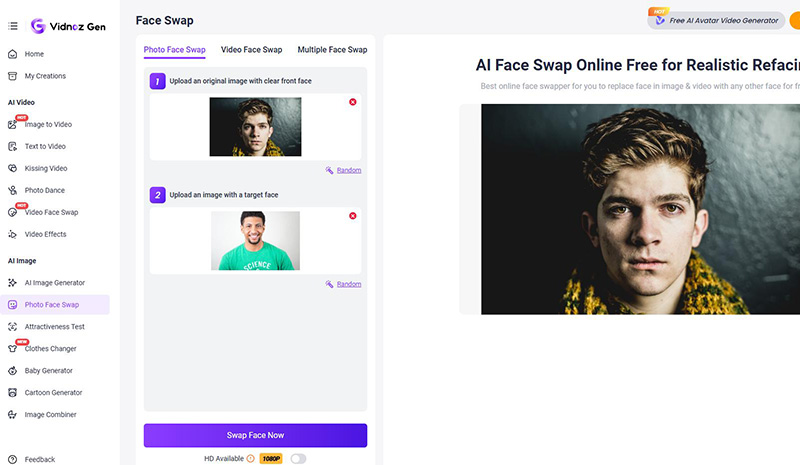
Vidnoz AI has quietly become a go-to all-in-one platform for creators who want more than just a single feature. Compared to Pica AI, Vidnoz offers free access to tools lik talking photos, AI avatars, image generators, and image to video free—all in one dashboard.
Features of Vidnoz AI:
Turn images into talking videos with lip sync accuracy.
1500+ AI avatars, 2800+ ready templates, and 1800+ AI voices.
Free plan offers 2,300+ video templates and 650 voices.
Conclusion
This Pica AI review inspects the tool’s features, strengths, and where it might fall short for certain users. If you need even faster image face swaps, more advanced photo editing, or all-in-one photo tools, there are great free alternatives available. Vidwud AI, in particular, tops the list with its no-cost, no-login video and image face swap service that delivers smooth and natural results. If you're looking to experiment or create without limits, give Vidwud AI a try.