Kawaii AI is a thriving online community where users showcase adorable and high-quality AI-generated artwork, primarily crafted using the Midjourney AI engine.
Since Midjourney is a paid-only platform, this article not only explores what makes Kawaii AI special but also introduces three excellent free alternatives to generate similar cute AI visuals.
- On This Page
- Part 1. Kawaii AI Overview
- How to Create Kawaii AI Artwork with Midjourney?
- Kawaii AI Alternative: Vidwud AI
- Kawaii AI Alternative: SoulGen AI
- Kawaii AI Alternative: Janitor AI
Part 1. Kawaii AI Overview
Kawaii AI is a place where you’ll find Japanese-inspired "kawaii" artwork with charming aesthetics. The site operates more as a community hub, featuring visual pieces created by users through Midjourney AI. Every image reflects intricate detail, soft color palettes, and expressive characters.
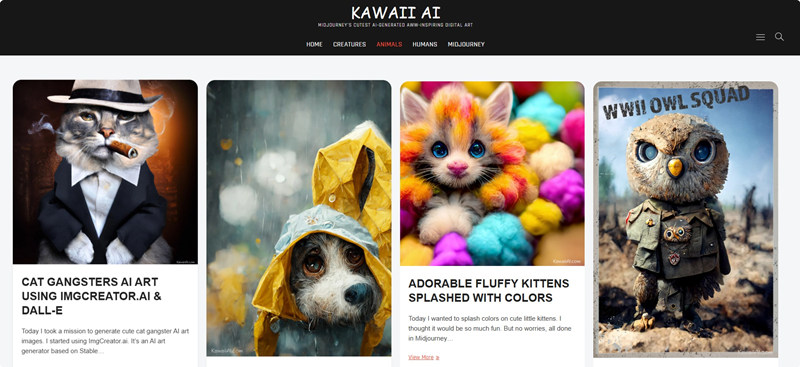
Artwork Categories:
There are mainly 3 main categories of artwork that you’ll find on Kawaii AI; Creatures, Animals, and Humans. However, these artwork can be categorized into several visually distinct categories.
1.Anime Characters
2.Fantasy Creatures
3.Dreamy Landscapes
4.Cute Pets
5.Stylized Portraits
Each category appeals to fans of aesthetic visuals, anime, and fantastical storytelling. The high-resolution visuals, deep creative details, and color balance reflect Midjourney AI's technical prowess.
So, where do these visuals come from?
The artwork on Kawaii AI is generated using Midjourney AI, a platform that uses prompt-based image synthesis. Users submit text prompts, and Midjourney creates complex, artistic images accordingly. However, since Midjourney is not free, many users seek cost-effective alternatives to experiment with cute AI art styles; something this guide helps with.
How to Create Kawaii AI Artwork with Midjourney?
Creating your own Kawaii AI artwork with Midjourney involves a straightforward process, primarily interacting with the AI through text prompts. To join the Kawaii AI community in creating high-quality artwork, you'll need to understand Midjourney's workflow.
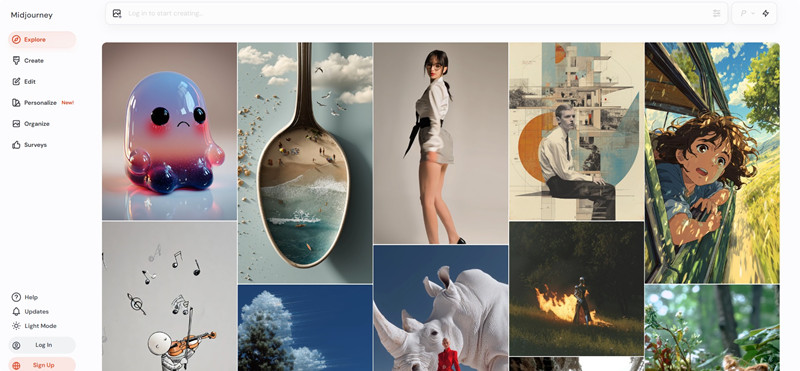
Step 1. Visit Midjourney and sign up with Google or Discord. Choose a suitable subscription plan to proceed.
Step 2. Click on Create from the right window, and type in your prompt. You’ll get some sample images as an inspiration to work with the desired design.
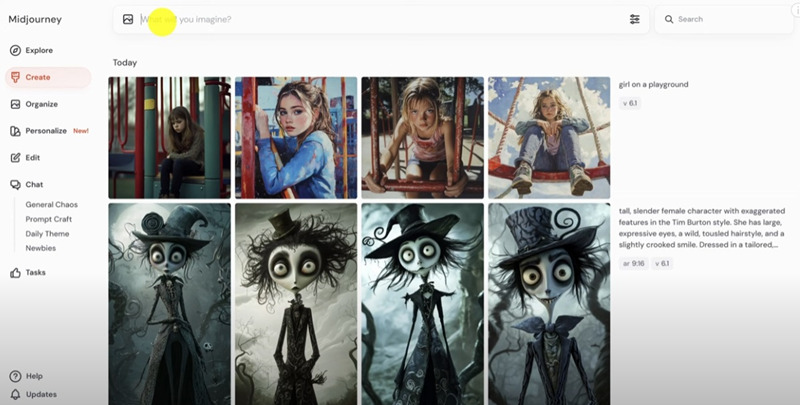
Step 3. You can adjust the image size and aesthetics of the picture.
Step 4. Once your image is generated by Midjourney, you can refine it with the options available on the left window panel.
Midjourney AI Price:
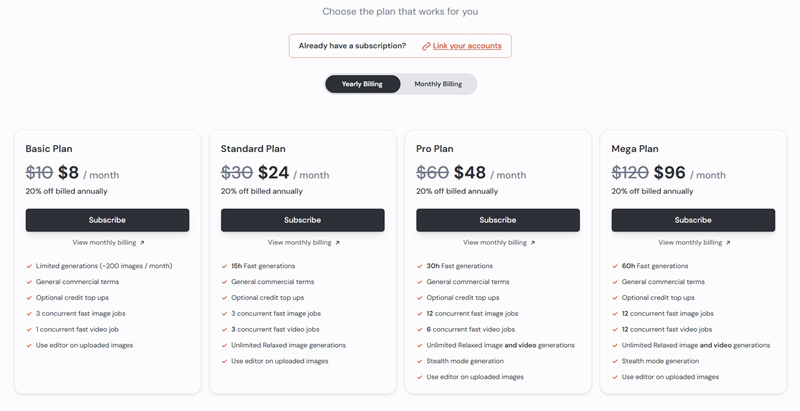
Midjourney requires a paid subscription starting at $10/month. It’s a paid-only website, and there's no free tier available. They offer various subscription tiers, typically billed monthly or annually, each providing a certain amount of "GPU hours" for image generation. This means that while the results can be stunning, accessing this powerful Kawaii AI generator comes with a recurring cost.
If you're looking for free options to generate cute AI art generator images, you'll need to explore alternatives. Read on to discover some excellent free options that can help you create impressive AI artwork without the financial commitment.
Kawaii AI Alternative: Vidwud AI
For those seeking a free Kawaii AI generator experience, Vidwud AI offers a compelling alternative, adopting a similar AI engine to produce high-quality images and even videos. Vidwud is a free, innovative platform that offers high-quality image and video generation capabilities. The platform provides daily free credits, making it an accessible option for experimenting with AI art generation.
Vidwud is not just an AI image combiner or an AI image description generator; it's a comprehensive platform for creative AI endeavors.
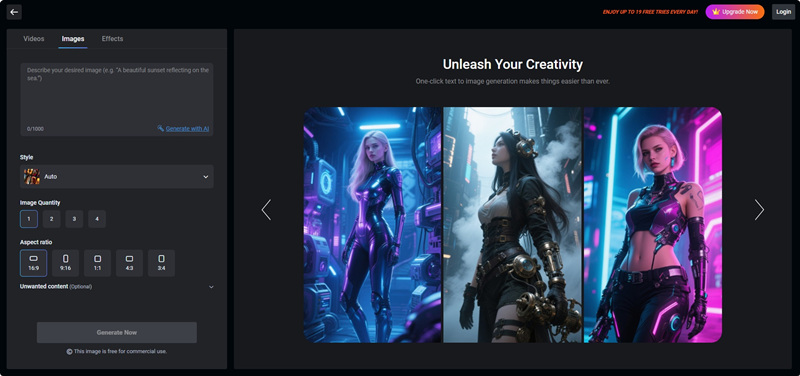
Here’s how to create cute AI art generator images with Vidwud AI:
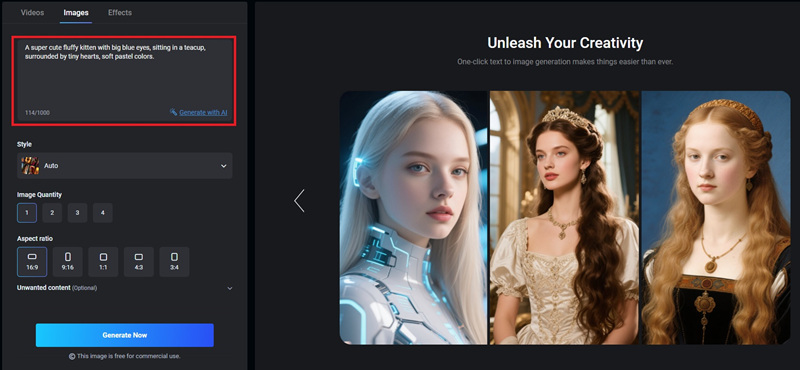
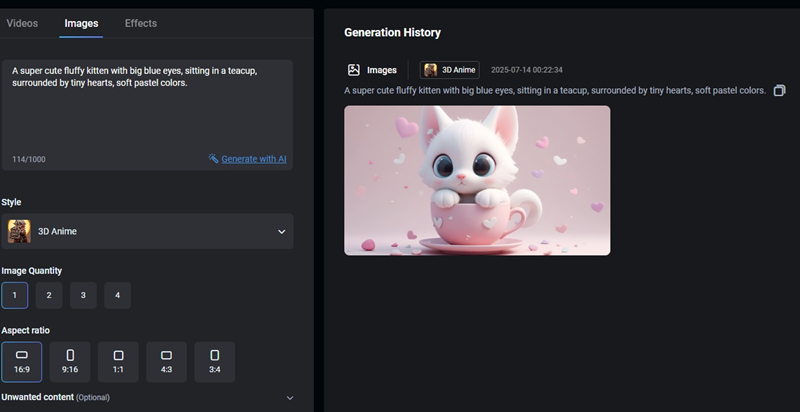
Step 1. Visit the Vidwud AI Image Generator tool and enter your vision for Kawaii AI art in the prompt box. Be detailed to guide the AI towards the cutest outcome.
Step 2. You'll find a text input field where you can describe the image you want to create. Similar to Midjourney, use descriptive language focusing on the kawaii aesthetic.
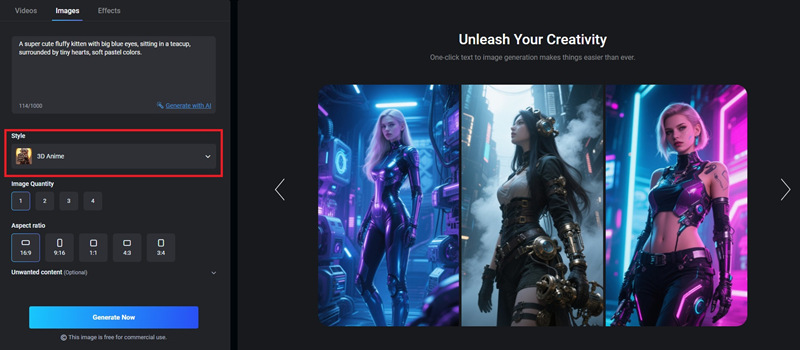
Step 3. Choose from Vidwud AI's diverse art styles, such as "anime," "digital art," or "fantasy," to best capture your desired cute AI art generator aesthetic.
Step 4. Specify the number of images you want, adjust the aspect ratio, and mention any “Unwanted content” to give direction to Vidwud AI. Click on Generate Now to create your unique Kawaii AI image.
Here’s the Kawaii AI result that Vidwud AI generated.
Vidwud is ideal for those who want quality and affordability, especially in combination with tools like:
●Ideogram ai image generator
●AI tweens
●Turn photo into illustration
Kawaii AI Alternative: SoulGen AI
Another noteworthy Kawaii AI generator alternative that offers a unique approach to AI art generation is Soulgen AI. While it is primarily known for generating character-based art, it can certainly be used to create charming Kawaii AI images. Soulgen AI offers some free services, typically in the form of trial credits or a limited number of free generations, which can be a good starting point before considering any paid options.
Here’s how to create Kawaii AI art with SoulGen AI:
Step 1. Visit SoulGen AI and enter your prompt in the text field.
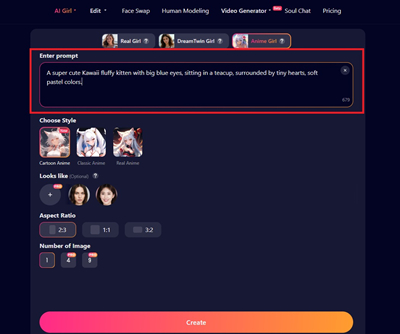
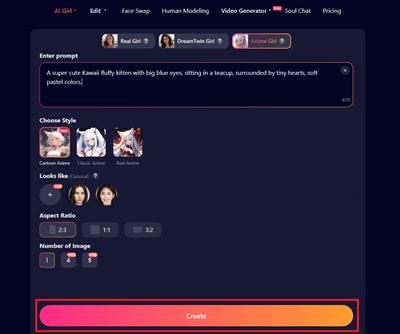
Step 2. Choose your style, and select the aspect ratio. With the free version, you can only create one image. Once done, click on Create.
Kawaii AI Alternative: Janitor AI
Janitor AI is an unconventional but creative choice for generating unique and stylized AI artwork. Unlike traditional platforms, Janitor AI lets users interact with roleplay-based bots and AI personalities to co-create artwork prompts and visuals.
While it might not be a dedicated Kawaii AI generator in the same way as Midjourney or Vidwud, its flexibility allows for creative prompts to generate cute AI art generator outputs, especially when paired with specific models.
Here’s how to create Kawaii AI art with Janitor AI:
Step 1. You'll need to sign up for a free account. Pay attention to how they handle API key integration, as this is crucial for generating images.
Step 2. Click on the Create a Character button from the top-right corner.
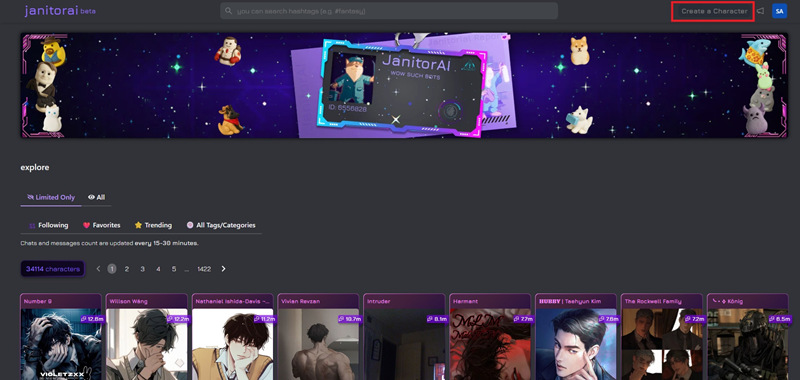
Step 3. Enter the required details to create your very own Kawaii AI character.
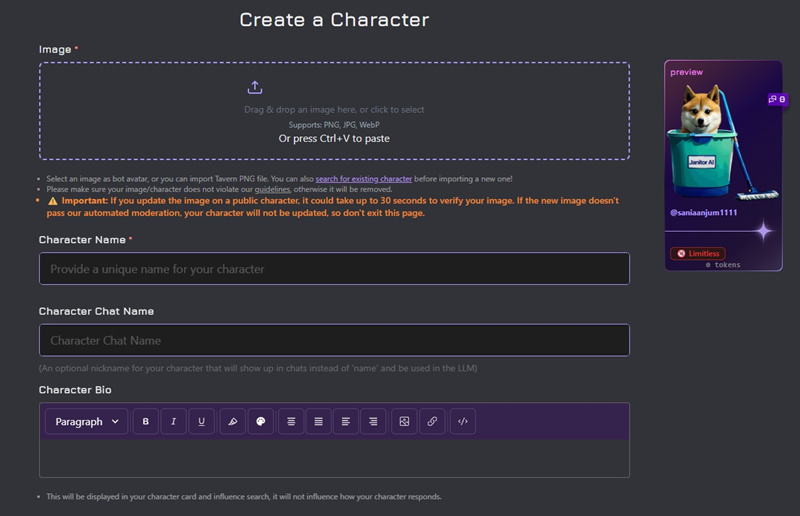
Janitor AI might seem a little confusing for some users while creating a Kawaii AI art. Don’t forget to check out tools like the low quality image maker to stylize your visuals further.
Conclusion
Kawaii AI offers a beautiful, Midjourney-powered space to appreciate community-created artwork. But since Midjourney is a paid tool, platforms like Vidwud, Soulgen AI, and Janitor AI serve as accessible alternatives.
Among all the free alternatives we discussed in this blog, we recommend using Vidwud AI as it’s one of the most user-friendly tools and offers free credits everyday. Vidwud offers tons of other AI tools that you’d love to try!
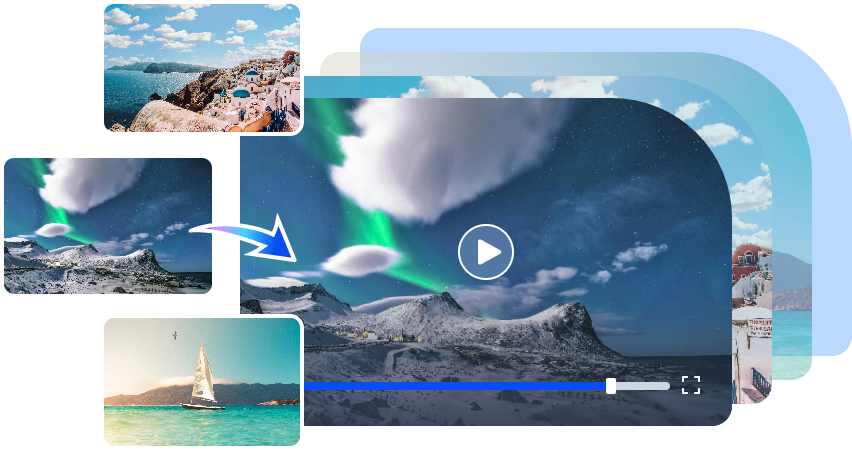
Free AI Image to Video Generator
-
Best free online image to video generator
-
Turn any text/image to vivid video with high quality
- Clean and intuitive interface design
Turn Image to Video Now